Wave

Generates oscillating waveforms you can use to animate or modulate properties. Outputs a value of the datatype number.
Waves in a Nutshell
If terms like sine, cosine, oscillation, or LFO sound intimidating or unfamiliar, don’t worry — here’s the simple version.
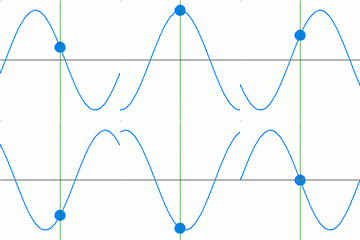
A Wave node constantly outputs a value that goes up and down over time. It increases until it reaches a maximum, then decreases until it reaches a minimum, and repeats this motion forever. That up-and-down motion forms what we call a wave.

A wave’s behavior is defined by a few key properties:
Amplitude: how large the wave is (how far it moves from its center).
Frequency: how fast the wave completes a cycle (how quickly it goes up and down).
The math behind waves goes back more than two thousand years, but for Nodalin you only need the basic idea above.
To keep things intuitive and beginner-friendly — and to avoid confusion with audio synthesis terms — the Wave node uses size instead of amplitude, and duration instead of frequency. They work the same way, but the names emphasize what they do.
Use cases
Animate the size of a Square node with a smooth sine wave
Rotate shapes by using a triangle wave as an angle source
Multiply a Wave node with a Number node to adjust or scale its amplitude
size
Amplitude → The distance from the center-line (equilibrium) to a peak or trough.
number
duration
Frames per wave cycle
number
phase
Phase offset
number
offset
vertical offset
number
stream
Stream of values to pass as input to the wave
number
wavetype
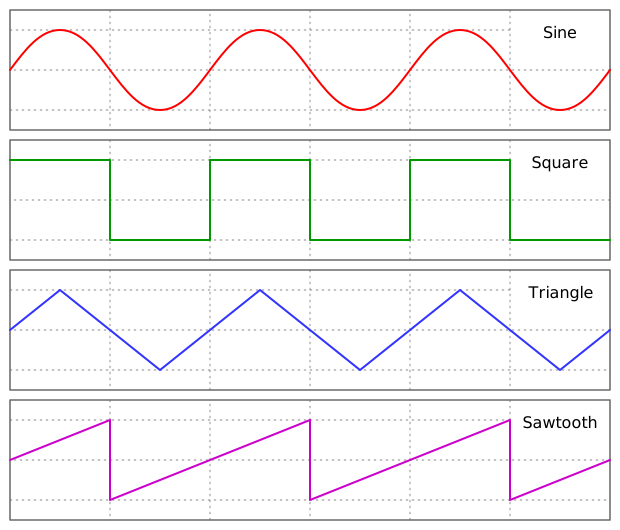
sin, cos, square, triangle, sawtooth, and random
text
Example Projects
There are tens of example projects that use the Wave node, but here are a few simple examples to get you started:
Voxel Voidin A simple demonstration on how you can use a couple of Wave node to create a perfect cyclic motion.A single Counter node (next chapter) is connected as stream to both Wave nodes assuring the are in perfect sync. 5th Wave Using a couple of Wave nodes with different durations and phase to create organic motions.
Tips
Offset is your friend.
If you want a Wave node to oscillate without dipping into negative values — for example, when driving a shape’s size — set a small size value and a meaningful offset.
Example:
If your shape should stay around 150px but pulsate slightly, set the following properties:
Size: 50
Offset: 150
The wave now oscillates between 150 – 50 = 100 and 150 + 50 = 200, giving you a smooth pulse without shrinking to zero.
Try combining Waves.
You can create far more complex motions by chaining Wave nodes:
Connect one Wave node into another’s stream input
Use one Wave to modulate another node’s duration, creating time-stretching / time-compressing effects
Feedback loops are allowed — and powerful.
You can create recursive, self-modifying oscillations by feeding a Wave node’s output back into one of its own properties.
A simple way to do this:
Connect a Wave node to a Number node
Feed the Number node back into the Wave node’s size, duration, or offset
It may seem unusual, but several of our example projects use this technique to create complex evolving motions.
Last updated