> For the complete documentation index, see [llms.txt](https://codalin.gitbook.io/nodalin-docs/llms.txt). Markdown versions of documentation pages are available by appending `.md` to page URLs; this page is available as [Markdown](https://codalin.gitbook.io/nodalin-docs/getting-started/1-speedguide.md).
# 1' Speedguide
You learn it by doing. Ready?
1. Click on main menu icon  in the top-left and choose File → New.
2. **Let's add a couple of nodes**
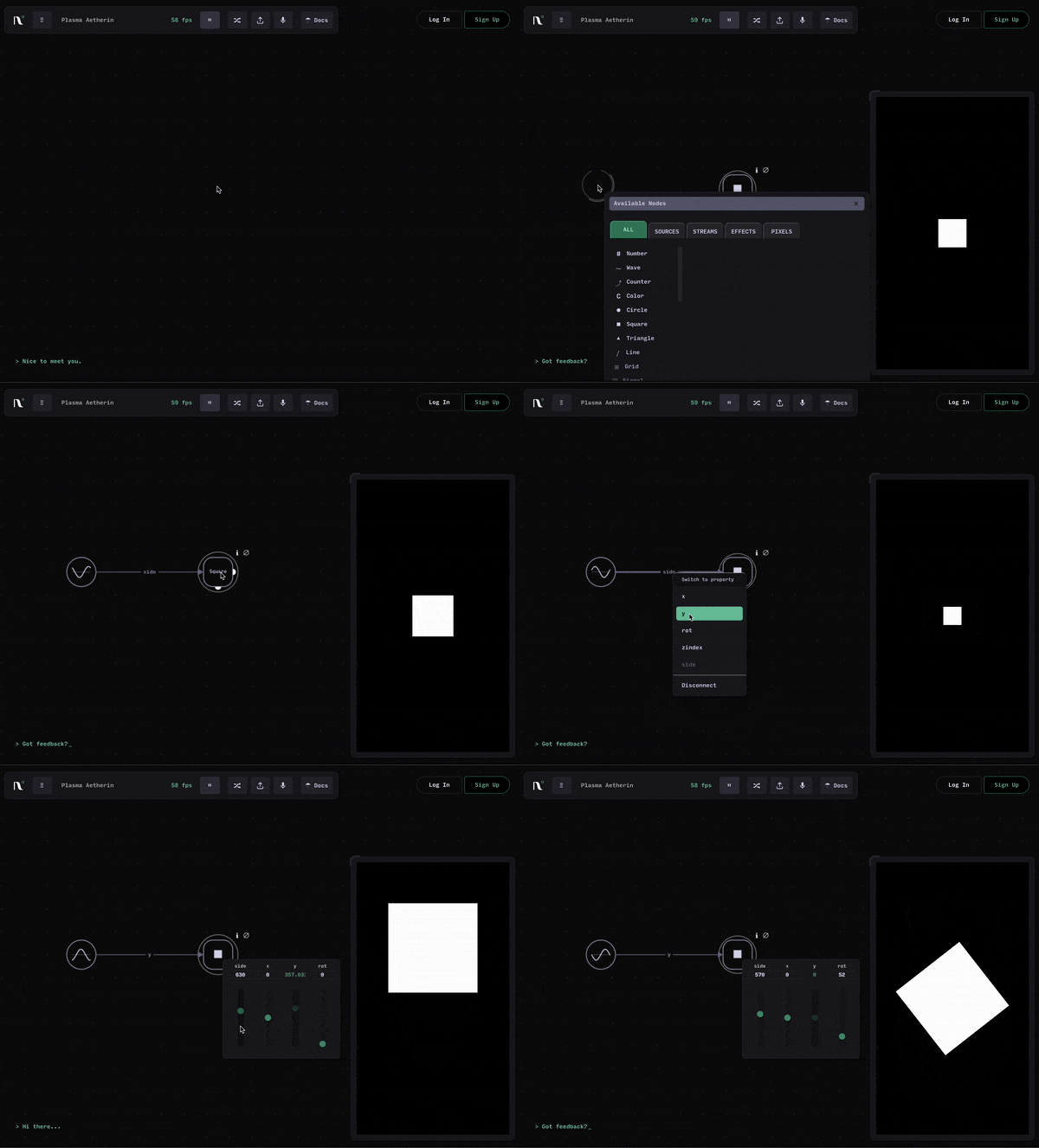
* Right-click on the empty editor canvas, then click on :square: **Square**.
→ A Square node is added and a white Square appears on the output.
* Right-click once again on the canvas and select :wave-sine: **Wave**.\
→ A Wave node is added.
3. **Let's connect** the Wave to the Square:
* Hover the right edge of *Wave node.*
* Click and move the connection wire onto the *Square node.*
* Click on the Square to complete the connection.
→ The Square now moves — Wave is driving its `size`
4. **Let's tweak and adjust our graph**
* Right-click on the connection wire and switch the connection to `y`
* Right-click on the :square: Square to adjust its `size` or `rotation`.
That’s it — you just:
* Created a shape
* Created a data stream
* Connected them
* Switched connection to property
* Edited nodes
**You’re already using Nodalin!**
in the top-left and choose File → New.
2. **Let's add a couple of nodes**
* Right-click on the empty editor canvas, then click on :square: **Square**.
→ A Square node is added and a white Square appears on the output.
* Right-click once again on the canvas and select :wave-sine: **Wave**.\
→ A Wave node is added.
3. **Let's connect** the Wave to the Square:
* Hover the right edge of *Wave node.*
* Click and move the connection wire onto the *Square node.*
* Click on the Square to complete the connection.
→ The Square now moves — Wave is driving its `size`
4. **Let's tweak and adjust our graph**
* Right-click on the connection wire and switch the connection to `y`
* Right-click on the :square: Square to adjust its `size` or `rotation`.
That’s it — you just:
* Created a shape
* Created a data stream
* Connected them
* Switched connection to property
* Edited nodes
**You’re already using Nodalin!**