> For the complete documentation index, see [llms.txt](https://codalin.gitbook.io/nodalin-docs/llms.txt). Markdown versions of documentation pages are available by appending `.md` to page URLs; this page is available as [Markdown](https://codalin.gitbook.io/nodalin-docs/how-to.../feedback-loops.md).
# Feedback Loops
Each change, becomes everything.
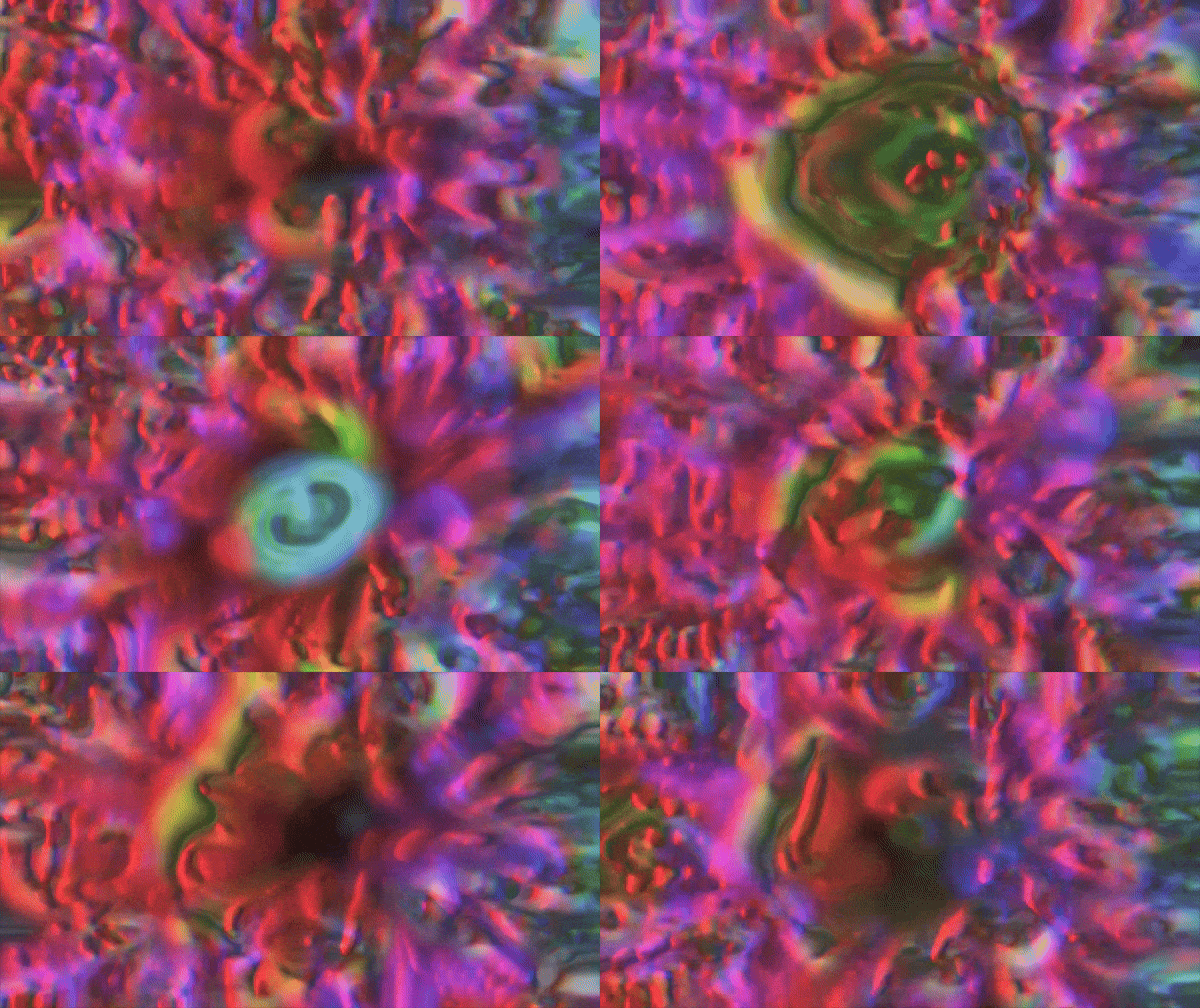
Feedback loops are where Nodalin gets wild. A feedback loop happens when the result of one frame becomes part of the next. This creates motion trails, echoes, smears, pulsations — visuals that evolve instead of simply updating. It’s one of the most powerful things you can do in Nodalin.
## How feedback (usually) works
In most node-based apps, building a feedback loop means assembling a mini-architecture:
* a node to capture the previous frame
* a node to send it back
* a node to blend it with the new frame
* plus whatever effect nodes must sit inside the loop
It works, but feedback networks often require several interconnected nodes before the creative part can begin.
### How Nodalin does it
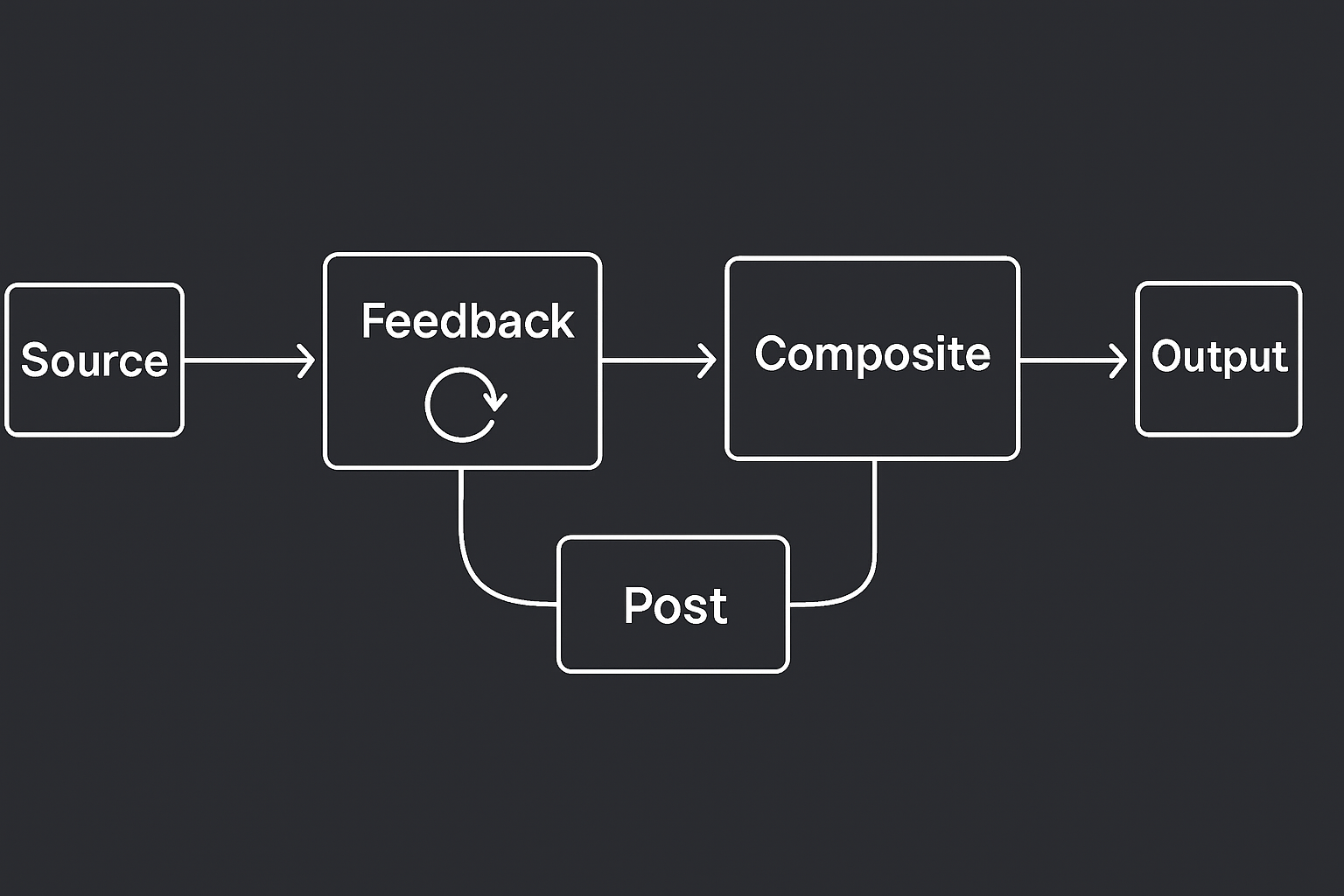
The Post node was inspired by classic video feedback setups, where a camera is pointed at a monitor displaying its own output. The entire image feeds back into itself, creating trails, spirals, echoes, and self-organizing patterns that evolve over time.\
\
Rather than building a feedback architecture from multiple nodes, Nodalin treats feedback as an image-level post-process. All of it collapses into a single node: Post.
Every frame, Post:
1. Takes a snapshot of what was drawn
2. On the next frame, mixes that snapshot with the new frame
3. Outputs the blend so the loop continues
Since each new frame carries a trace of the last, your scene gains a sense of memory. Patterns stretch, duplicate, melt, or jitter depending on how you mix them.
Feedback isn’t just repetition — it’s accumulation.
### Current Scope
The Post node currently operates on the final image produced by the graph, rather than on arbitrary points within it. This mirrors the behavior of traditional video feedback systems and keeps feedback setups simple, predictable, and fast to build.
More flexible feedback routing may be explored in future versions, but the current design intentionally focuses on whole-image feedback.
### Blend In to Stand Out
As mentioned earlier, the Post node blends the previous and current frame using modes similar to the Blend node. This opens up fun creative options — including using Post as a post-processing effect for glow, bloom, or brightness boosts.
To brighten the image, switch its blending mode (right-click the Post node) to something light-friendly:
* Screen adds gentle glow and lift
* Linear Dodge (Add) builds intense highlights and bloom
* Others — Overlay, Color Dodge, Color Burn — each have their own energy
On top of the blend mode, Post includes:
* Opacity, to control how much of the past leaks into the present
* Scale, which shrinks or enlarges the previous frame to create outward or inward trails
* Gain, which boosts brightness and exaggerates pixel structure
Simple controls — a lot of possibilities.
### Embrace the Difference
This chapter title isn’t just a pun. If you’ve ever used a photo editor, you’ve probably skipped the blending mode always sitting at the bottom: Difference.
It looks chaotic and hard to control — which is exactly why it shines in feedback loops.
Difference works by subtracting pixel values between frames. With something moving, that means it only reveals *change*. What you see is the “leftover shape” — the pieces no longer overlapping. It’s like drawing with the gaps.
This naturally produces visuals that feel almost biological. Once the output is fed back into itself, tiny shifts get amplified and spread, creating structures reminiscent of diffusion–reaction systems… but without the simulation cost or math.
#### Example Projects
[**Blend Stellarin**](https://app.nodalin.xyz/project/9fa53bed-c321-4c2e-9ff9-7943dea0eb86)\
All the glitching artifacts are driven by a single Post node.
[**Flock Of Feedback**](https://app.nodalin.xyz/project/a3de8589-24dc-4a45-8159-6d477b446cb7)\
Using a single Post node and just a couple of Effects
[**Statix Datain**](https://app.nodalin.xyz/project/4747356b-7fbd-4c98-afb8-bf3a3ed2c2cb)
[**Static Datarin Remix**](https://app.nodalin.xyz/project/e11f3eb4-9f81-47dc-b934-7f7405c0d074)\
Exactly the same graph as the original project, with a few tweaks.
{% hint style="info" %}
There can also be data-based feedback (numbers or values feeding back into themselves).\
Learn more on our [Wave node reference](/nodalin-docs/nodes-reference/streams/wave.md#feedback-loops-are-allowed-and-powerful).
{% endhint %}