recyclePost

Applies post-processing effects and creates feedback loops by blending the current frame with the previous one. Right-click to adjust blend mode, opacity, scale, and gain.

Post does three things on every frame:

  1. Takes a snapshot of whatever was drawn.

  2. On the next frame, blends that snapshot with the new frame.

  3. Outputs the result so the loop continues.

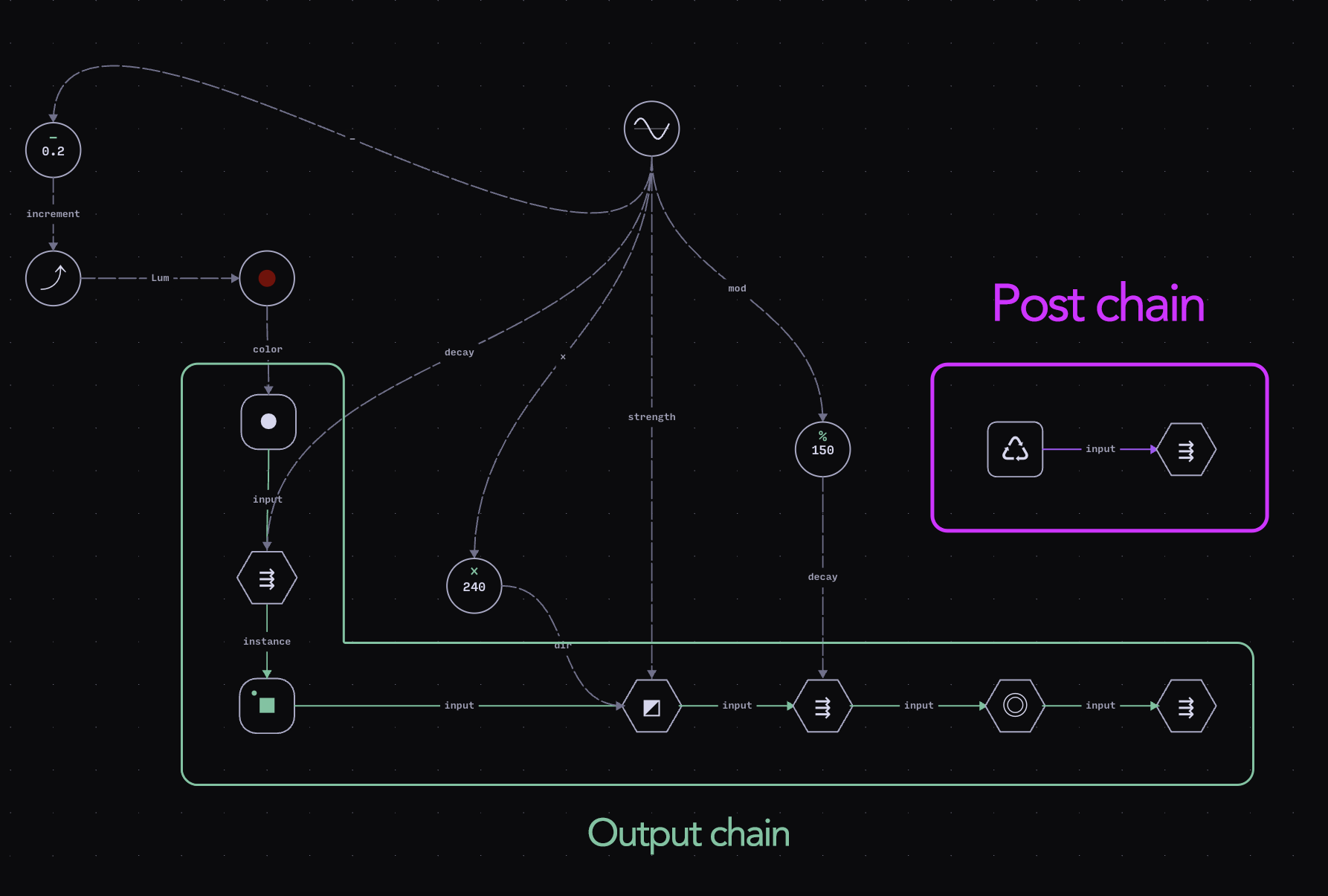
The Post node doesn’t require any input to work. Simply placing it in the editor creates an independent post-chain, marked with a purple connection line. This gives you a dedicated place to build post-processing and feedback effects without rewiring anything in your main graph — Post always reads the final composed frame.

From the example project "Flashbackarrow-up-right"
circle-check
Property name
Description
Compatible datatype

blendMode

Blend mode for compositing (normal, multiply, colorburn, screen, add, overlay, dissolve, difference)

text

opacity

Opacity of the blended frame (0-100%)

number

scale

Scale of the previous frame (1-200%)

number

gain

Brightness boost (0-200%)

number

Example Projects

Blend Stellarinarrow-up-right All the glitching artifacts are driven by a single Post node.

Flock Of Feedbackarrow-up-right Using a single Post node and just a couple of Effects

Statix Datainarrow-up-right

Static Datarin Remixarrow-up-right Exactly the same graph as the original project, with a few tweaks.

Last updated